
The workflow at a glance
StarProfits AI is presented as software for local businesses, freelancers and small agencies managing review requests and feedback. A business name starts the process. The software then prepares materials that help an operator discuss, deliver and report a review service.
The StarProfits AI review covers the buying decision. This walkthrough explains how the advertised parts connect so you can identify what your business must supply at each stage.
- Find and verify the correct business listing.
- Inspect its review gap and prepare a branded kit.
- Invite customers, review replies and handle private feedback.
- Explain the recorded activity in a client report.
Find the right business and context
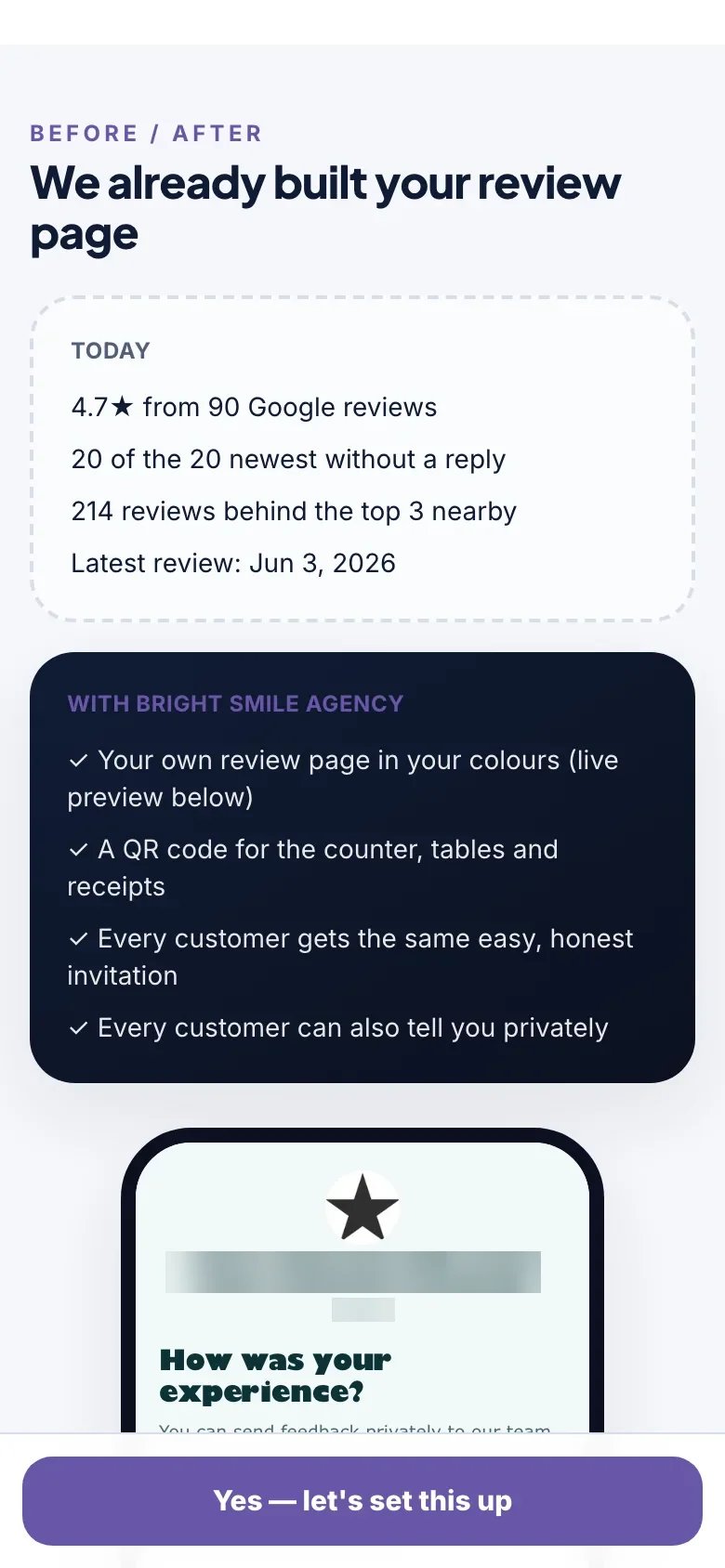
The seller describes Star Finder Lite in Basic and a separate Star Finder Pro upgrade for bulk prospecting and reports. A review gap compares a business with nearby competitors. That can help an agency prepare a specific conversation, provided the selected listing and comparison set are relevant.
Confirm the business name, address and location before building anything. A similar name or another branch can make the resulting report misleading. A gap also needs business context, because different categories and service areas produce different patterns. The Star Finder guide gives a checklist for interpreting this research.
Build and inspect the kit
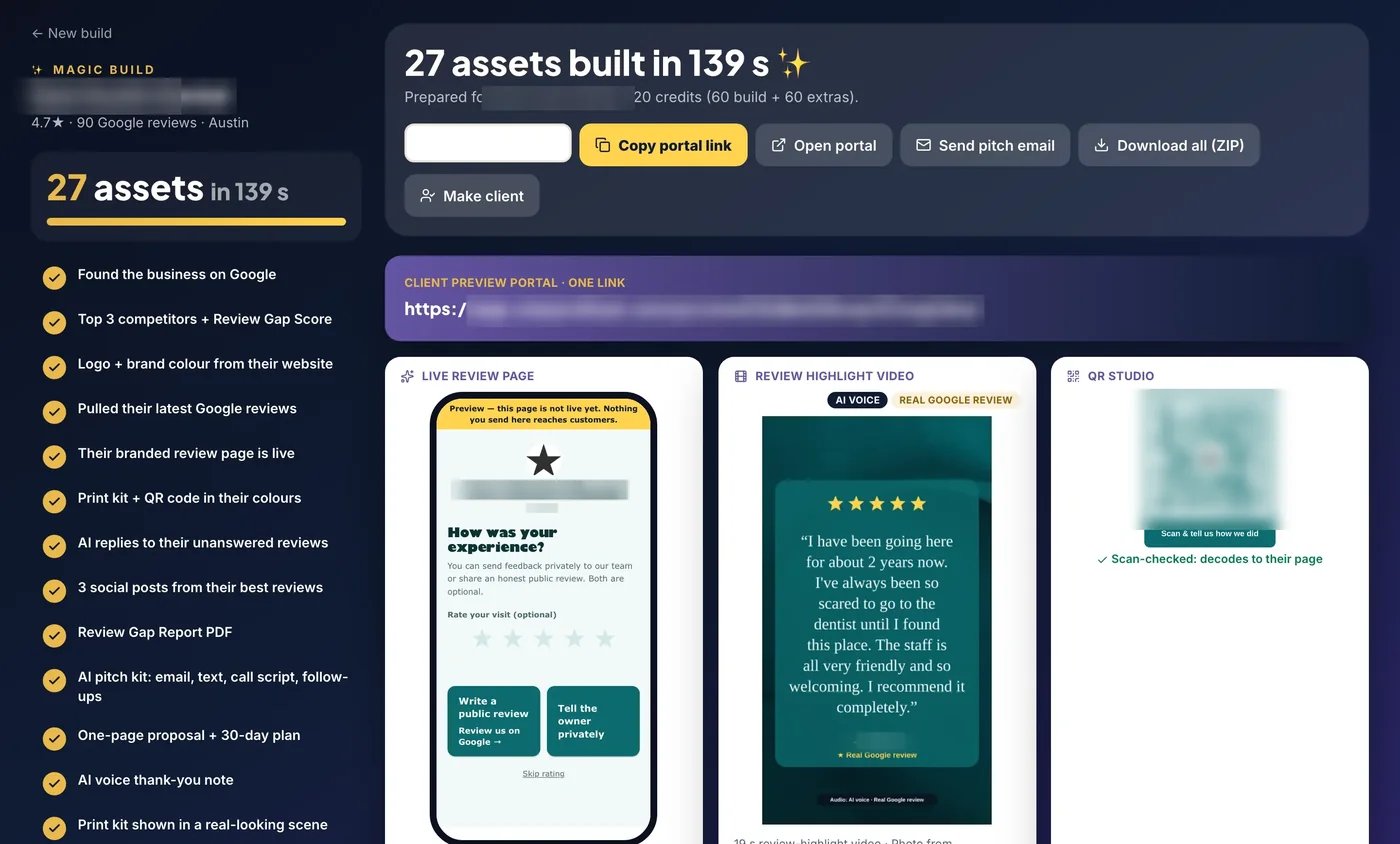
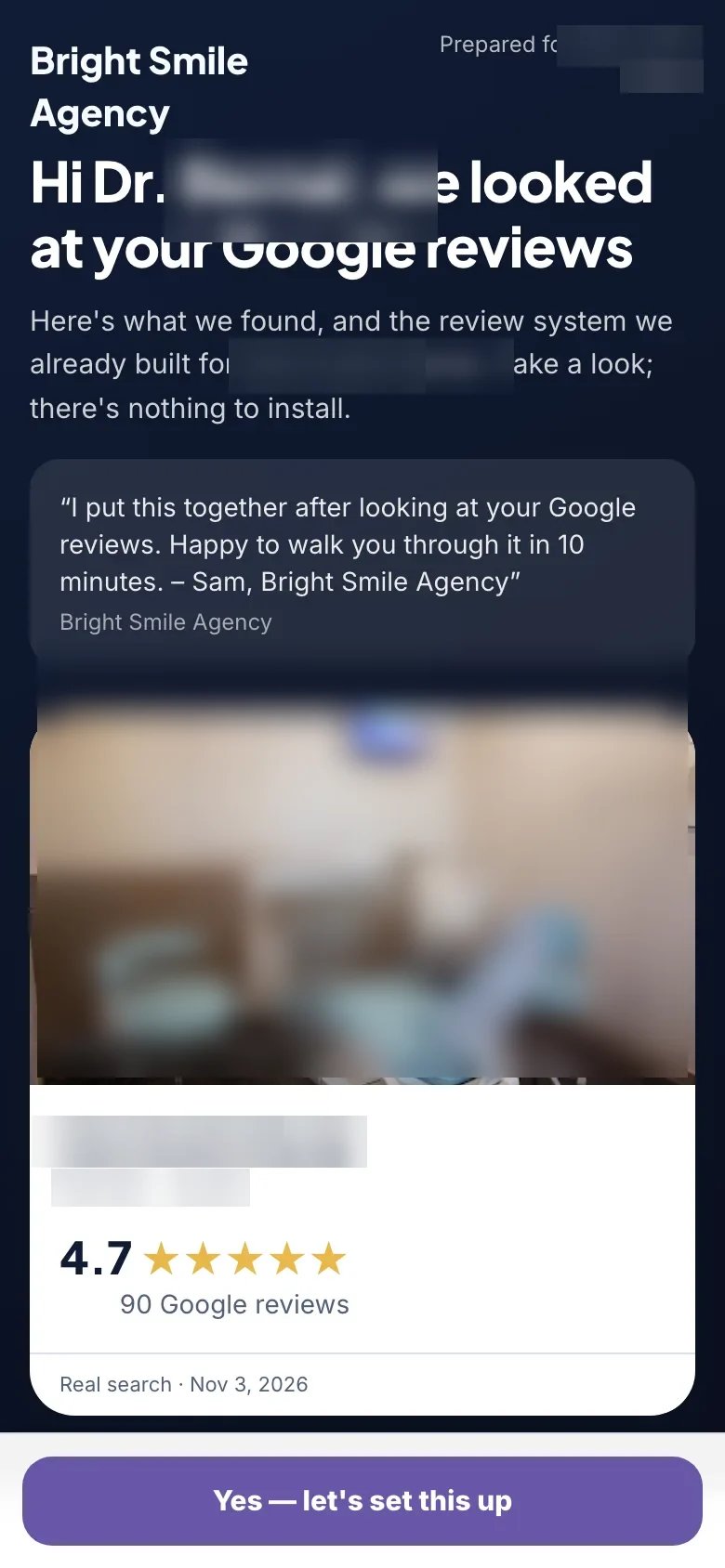
Magic Build is described as producing 27 assets, including a branded review page, QR code, print kit, Review Gap Report, reply drafts, social creatives, pitch email, proposal and client preview portal. The seller shows a 139-second demonstration for a real dental practice with identifying details blurred.
Inspect the output before sending it to an owner. Verify branding, public links, QR destinations, review text and the proposal’s service scope. The asset-by-asset guide separates the generation step from the checks required for a usable delivery.
Run requests and handle feedback
The product describes email requests, SMS through the buyer’s Twilio account, optional WhatsApp contact and a rating-adaptive review page. The customer-facing paths need checking at low scores, high scores and without a score. Both public and private feedback choices remain available, with their prominence depending on the configuration.
The AI reply workflow prepares a draft and opens the customer’s review in Google after copying the response. The operator then pastes and posts. A recovery desk assigns an owner and deadline to private issues. These are connected tasks, but each needs a clear person responsible. See the reply guide and review-page guide.
What enters and leaves each stage
| Stage | Input to check | Output to inspect |
|---|---|---|
| Find | Correct business and relevant nearby competitors | A review-gap explanation with a dated context |
| Build | Business identity, branding and intended service | Page, QR materials, preview and supporting assets |
| Operate | Approved request routine and responsible staff | Customer feedback, reply drafts and assigned issues |
| Report | Consistent dates and metric definitions | A client conversation about work and next actions |
The handoff matters as much as the individual feature. A correct listing prevents one business’s reviews appearing in another business’s proposal. A tested customer page prevents a printed QR from distributing the wrong destination. A named complaint owner connects private feedback with actual follow-through.
Before introducing automation, write down how the operator will know each handoff is complete. The product overview does not document every audit trail or status control, so confirm the available account controls before promising a particular process to a client.
An illustrative salon workflow from kit to report
Imagine a salon owner who already has a public business listing and wants staff to request feedback consistently. This is an editorial scenario. First, verify the location and let the owner confirm the business identity. Use the generated preview to discuss where the QR material will sit and who will inspect customer feedback.
Next, check the customer page on a phone, including public and private choices at different scores. Scan the final QR material after printing. Send an initial email request to an address controlled by the operator, then inspect the sender and destination. Only move to a customer routine once the owner has approved the materials and the recipient approach.
During operation, assign a staff member to reply approval and private issues. At the end of a reporting period, explain the observed activity and which service changes were made. This scenario shows why producing a kit quickly and delivering a reliable service are different milestones. The setup guide gives the first-stage checks, while the reporting guide explains how to close the loop.
Which parts are automated and which need a decision
Magic Build’s role is preparation: it creates a collection of business-specific materials. AI reply drafting prepares suggested language. A report brings recorded activity into a format the owner can inspect. These can reduce repetitive assembly without deciding whether the facts, audience or service promise are appropriate.
The ordinary documented Google reply flow still needs the user to paste and post. SMS still requires the buyer’s messaging account. A prospect still has to agree to become a client. When estimating the value of the software, include those remaining steps in the time and responsibility you assign to the service.
It is also useful to separate initial setup from ongoing work. A customer-facing page can be ready while the team still needs a request routine, approved response wording and a complaint process. Read the agency guide before packaging this work for clients, and the integration guide before connecting external services. Neither a connector nor an API establishes that every step can safely run without review.
Report work the owner can understand
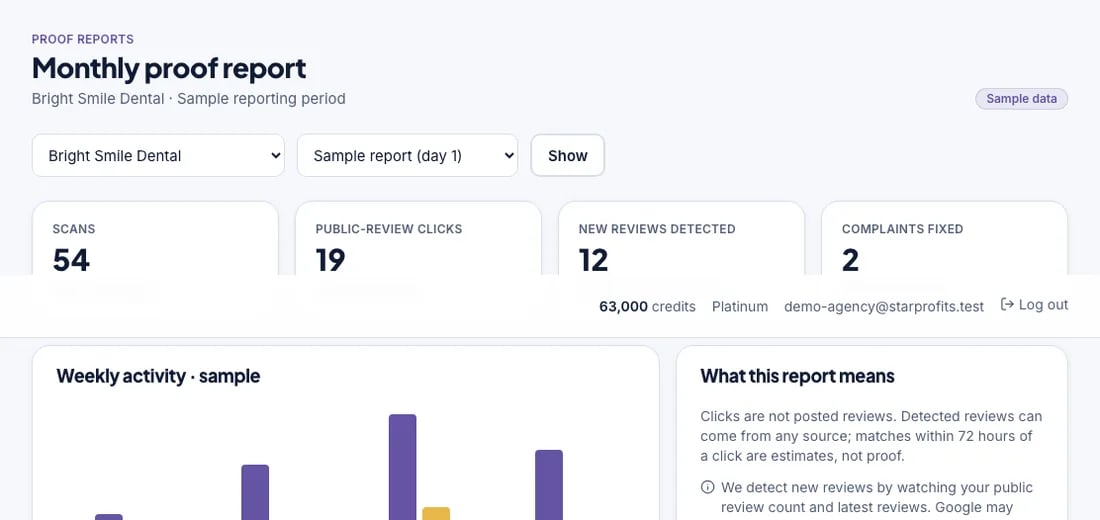
The seller’s monthly report includes scans, public-review clicks, new reviews spotted and complaints fixed. Those metrics represent different actions. A scan shows someone reached a touchpoint, while a public-review click shows a next step. Neither proves that the visitor completed a review or became a customer.
Use the reporting guide to define a baseline and a consistent reporting period. Keep a short service log of changes and follow-ups alongside the numbers. The owner should be able to connect the report to actual work and decide what to improve next.
Common questions
What starts the StarProfits AI workflow?
The seller describes entering or finding a local business by name, then checking its listing and review gap before building materials.
Does the software finish every task automatically?
The described workflow still includes output review, customer permissions, reply approval, posting in Google and client follow-up.
What does a report measure?
The seller lists scans, public-review clicks, new reviews spotted and fixed complaints. Interpret each metric according to the action it records.
What is the difference between building the kit and running the service?
Building prepares materials such as the customer page, QR artwork, draft replies and a preview. Running the service includes sending appropriate requests, reviewing replies, resolving private issues and explaining activity. Those recurring responsibilities remain even when the first set of assets is generated quickly.
Where should a first-time user start?
Start with the correct business listing and one customer journey. Confirm identity, inspect the page on a phone, scan the final QR material and send a request to contact details you control. Once those steps work and the owner approves them, define the staff routine before expanding to more businesses or channels.
Sources and verification
Product facts and launch offers checked on November 8, 2026. Seller demonstrations and published terms support the factual descriptions. Practical checklists are our editorial analysis.