
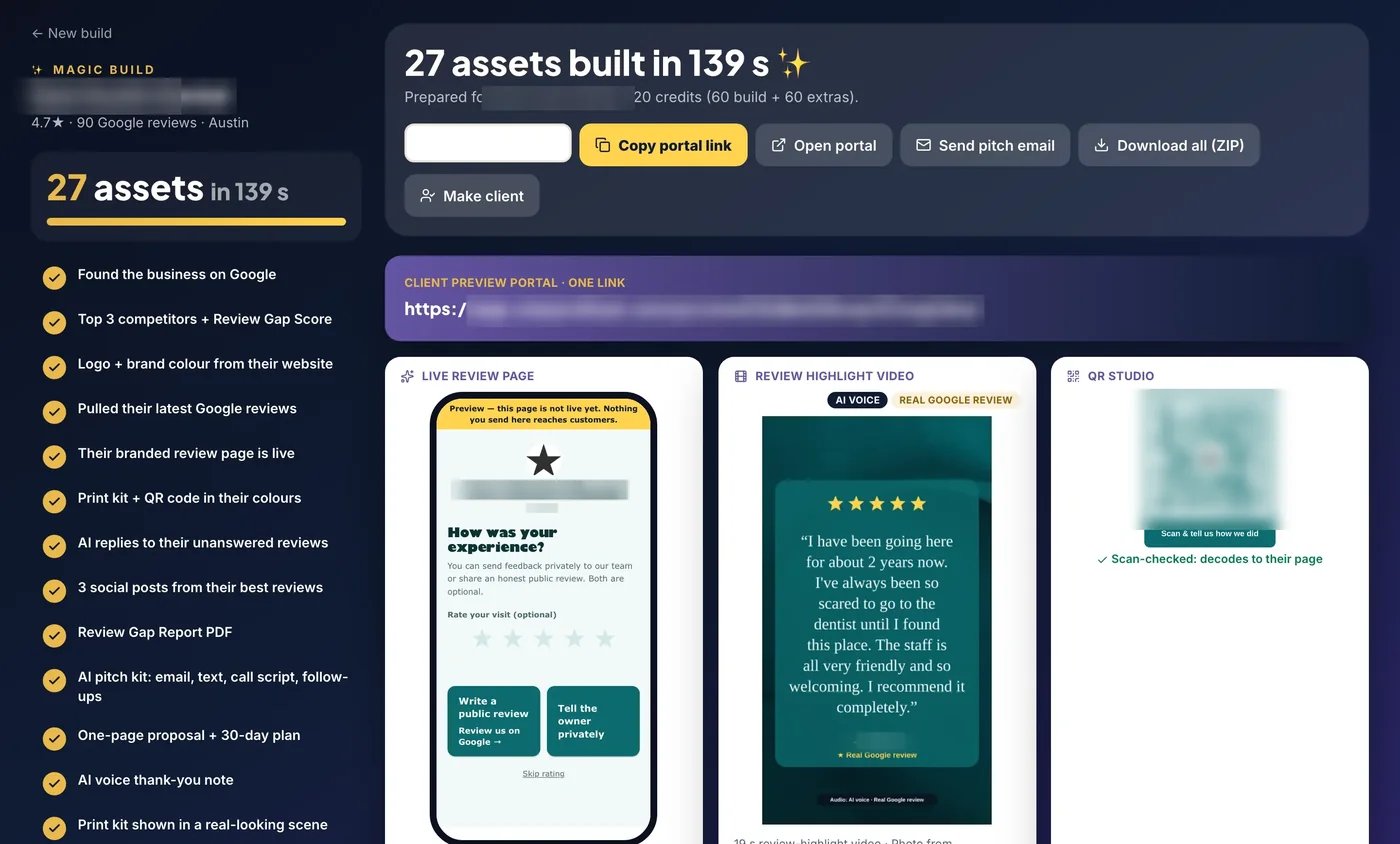
What Magic Build is described as producing
The seller groups Magic Build’s output around a local business and its Google listing. The advertised kit includes a branded review page, QR code, print kit, Review Gap Report, AI reply drafts, social cards, pitch email, proposal and client preview portal. Several versions or pieces can contribute to the stated total of 27 assets.
A kit links customer touchpoints to the agency’s delivery material. The StarProfits AI review explains where that fits in the overall product. This guide focuses on checking the generated assets before they represent your business.
What the demonstration establishes
The official page labels its Magic Build screen as a run for a real Austin dental practice, with business details blurred. It reports 27 assets generated in 139 seconds. That is a specific seller-recorded example. The page itself says timing varies by business.
A generation timer does not include every client approval, printing decision, domain change or correction. Treat the demonstration as evidence of the presented workflow and ask to see a business similar to yours. If a listing is incomplete or ambiguous, correct the underlying selection before evaluating the resulting kit.
A practical asset inspection checklist
| Asset | What to verify |
|---|---|
| Business page and portal | Correct location, branding, contact routes and public-review destination |
| QR and print material | Scan the final exported or printed item and check readability at the intended size |
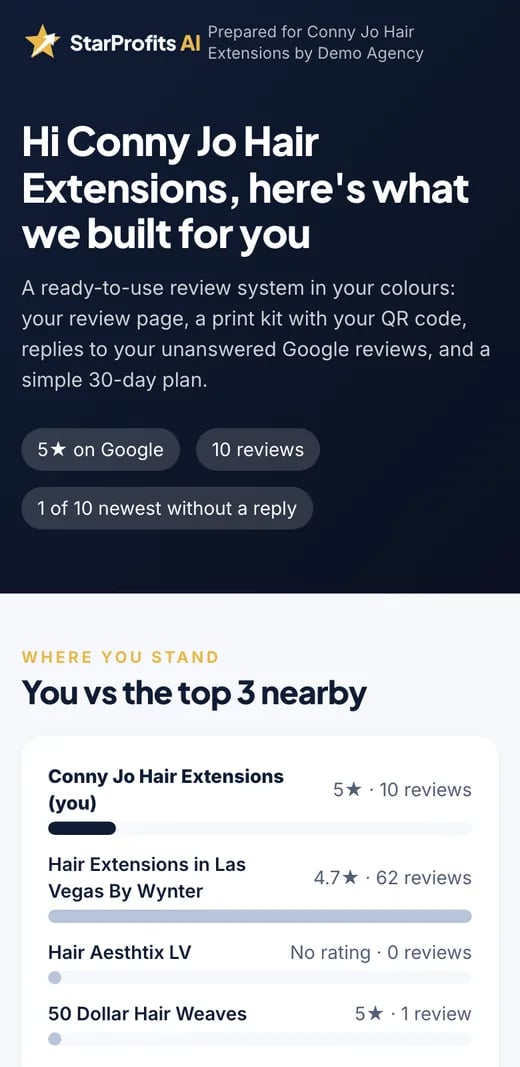
| Review Gap Report | Relevant nearby comparisons and clearly explained source figures |
| Reply drafts and social creatives | Accurate wording, permissions and private information |
| Pitch and proposal | Service scope, contact details and a price you actually intend to offer |
The seller’s sample proposal uses a demo agency and its chosen monthly fee. That amount is an illustration of a proposal, so choose your own service terms after estimating the work involved.
Check rights and representation
Publicly visible customer reviews still deserve a permission and attribution check before becoming advertising creatives. The seller says its review creatives preserve the original review wording and prompt the operator to ask permission. Confirm the customer’s approval and preserve a record of the source.
The print-kit example includes an AI-generated scene around the business’s real QR code. Such a scene should be labeled accurately if someone could mistake it for a photograph of the client’s premises. The social-card guide covers review reuse, while the license guide explains client-service permissions.
Read the 27-asset claim as a set of deliverables
The asset count is useful when it points to work a business will use. Group the output by purpose instead of treating every file as equally valuable. Customer-facing assets include the review page, QR code and print material. Sales-facing assets include the pitch, proposal and review-gap explanation. Operating assets include reply drafts, the preview portal and reporting material.
Each group has a different acceptance check. A customer page needs a correct destination and clear choices. A proposal needs an accurate service scope. A draft reply needs a person to confirm facts and tone. A report needs definitions that the owner can understand. The benefit of a bundled build is that these outputs start from the same business context; the operator still needs to verify the result.
Choose the first assets around the owner’s next action. If staff will use a counter card, test that placement before producing every available format. If an agency is demonstrating a service, focus on an accurate preview and a sensible scope. The workflow walkthrough connects the kit with ongoing delivery.
QR and print checks after generation
The seller describes scan-checking QR codes before saving them and shows a print kit including table tents, decals, counter cards and NFC artwork. That source-level scan check is useful, but the final printed object can introduce its own problems. Print size, contrast, trimming and the surface where it is placed affect whether a customer can use it comfortably.
Scan the actual printed item with a phone and follow the destination. Check that the business matches, the public-review route is correct and the private-feedback contact still works. If the artwork is placed inside an illustrative scene, keep the distinction between the preview and the file used for printing clear. An attractive preview is not a substitute for checking the deployed material.
For NFC artwork, confirm what hardware and link configuration your intended use requires. The presence of artwork does not establish that physical tags are supplied. The setup checklist covers these handoffs, and the review-page article explains what a customer should encounter after arriving.
Review the proposal before sending it to an owner
A proposal should describe the service you will actually deliver. Check the agency name, business details, included tasks, contact routes and monthly scope. The seller’s demonstration uses a demo agency and a chosen service price. That illustration is not evidence that the same amount is appropriate for your market or that a prospect has accepted it.
Pay particular attention to language about results. A review kit can support requests and reporting; it does not guarantee review counts, star ratings, rankings or customers. Replace any promise you cannot support with a concrete deliverable such as page configuration, approved request materials or a report covering a defined period.
Then use the preview as a discussion tool. Ask who will approve the page, where the materials will be used and who will handle private issues. Those answers make the proposal more credible than adding more screenshots. The prospecting guide explains how to introduce the review gap, while the agency-license article separates the right to deliver a service from the right to resell access.
Turn generated material into a delivery
Agree on which pieces the client will actually use. A counter card, one neutral request message and an owner alert route may be a more practical first delivery than publishing every asset immediately. Get the owner’s approval on the live customer-facing page before sending requests.
Use the first-business setup checklist to record the handoff. Keep the report’s baseline and the assets together so the following month’s activity report explains what changed after deployment.
Common questions
Are all 27 Magic Build assets independently verified here?
The 27-asset count comes from the seller’s demonstration. This guide identifies the asset categories described in the official materials and the checks to perform on your own output.
Is the 139-second demo a performance guarantee?
The seller describes a specific dental-practice demonstration and says timing varies by business.
Can I use the proposal’s sample monthly fee?
Choose a fee and scope that reflect your own service. A demonstration price does not establish demand, earnings or a suitable client charge.
Does a 27-asset build mean every output is ready to publish?
The count describes the advertised generated kit. Each output still needs checks appropriate to its purpose: destination and identity for customer pages, scan usability for print materials, factual accuracy for replies and a realistic scope for proposals. Generation and publication approval are different steps.
Does the print kit include physical NFC tags?
The source list includes NFC artwork among the print-kit materials. Artwork alone does not establish that hardware is supplied. Confirm any physical products, link configuration and printing requirements separately before including them in a client offer. Inspect the final deployed material rather than relying only on an illustrative scene.
Sources and verification
Product facts and launch offers checked on November 8, 2026. Seller demonstrations and published terms support the factual descriptions. Practical checklists are our editorial analysis.